
Deploy to Firebase
Use these instructions to enable continuous deployment from a GitHub repository. The same general steps apply for other Git providers such as GitLab or Bitbucket.
Do not commit the contents of the public directory to your repository. Hugo recreates this directory when you build your project.
Prerequisites
Please complete the following tasks before continuing:
- Create a Google account.
- Log in to your Google account.
- Create a GitHub account.
- Log in to your GitHub account.
- Create a GitHub repository for your project.
- Create a local Git repository for your project with a remote reference to your GitHub repository.
- Create a Hugo project within your local Git repository and test it with the
hugo servercommand. - Commit the changes to your local Git repository and push to your GitHub repository.
Procedure
- Step 1
- Create a Firebase project.
Visit the Firebase console.
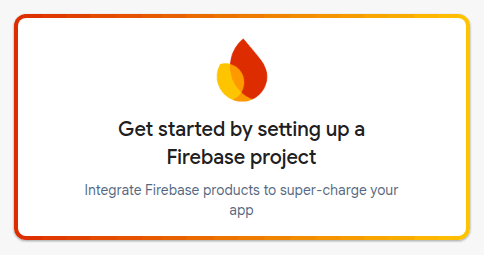
Click Get started by setting up a Firebase project.
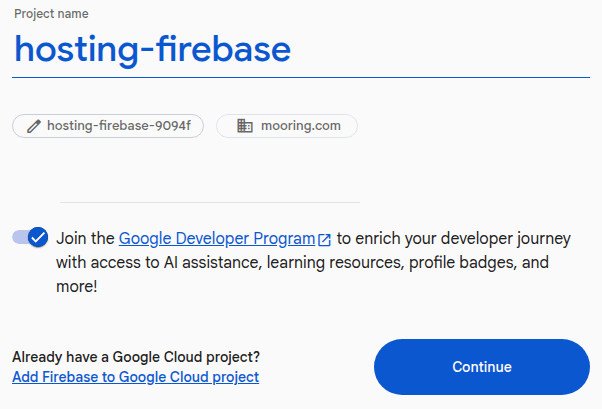
Enter your project name and, if your Google account is associated with a Google Workspace or Cloud Identity organization, select a parent resource. Then press the Continue button.
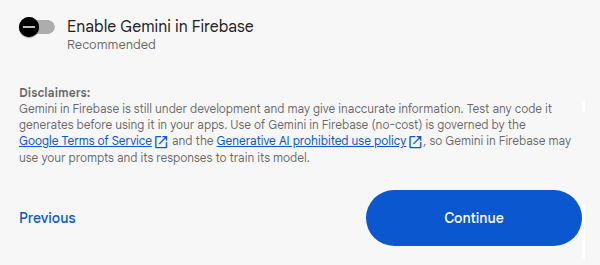
Disable Gemini for this project, then press the Continue button.
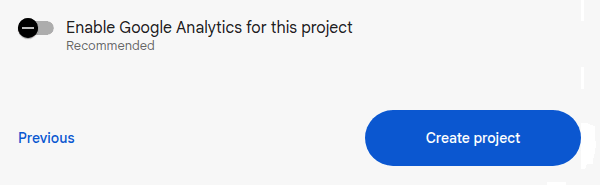
Disable Google Analytics for this project, then press the Create project button.
When your Firebase project is ready, press the Continue button.

From the sidebar menu, choose Settings > General and note the Project ID. You will need the Project ID later in this procedure.
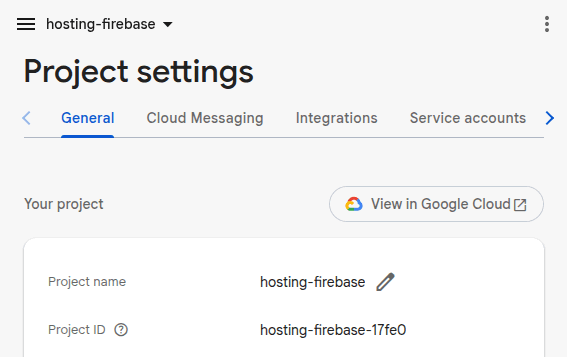
From the sidebar menu, choose Settings > Service accounts. At the bottom of the page, press the Generate new private key button, then press the Generate key button.
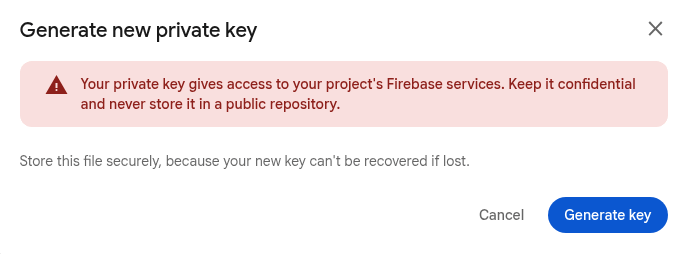
Download the generated JSON file to any location outside of your project directory.
- Step 2
- Add the private key to GitHub Secrets.
- Go to your GitHub repository.
- Navigate to Settings > Secrets and variables > Actions.
- Click the New repository secret button.
- Enter
FIREBASE_SERVICE_ACCOUNT_KEYfor the Name. - Paste the contents of the downloaded JSON file into the Secret field.
- Press the Add secret button.
- Delete the downloaded JSON file.
- Step 3
- Create a
hugo.yamlfile in the.github/workflowsdirectory, adjusting the tool versions and time zone as needed. Set theFIREBASE_PROJECT_IDto the Project ID that you noted earlier in this procedure..github/workflows/hugo.yamlname: Build and deploy env: # Define tool versions DART_SASS_VERSION: 1.105.1 GO_VERSION: 1.27.2 HUGO_VERSION: 0.168.0 NODE_VERSION: 24.21.0 # Set the build time zone TZ: Europe/Oslo # Set the Firebase Project ID. FIREBASE_PROJECT_ID: hosting-firebase-17fe0 on: push: branches: - main workflow_dispatch: permissions: contents: read pull-requests: write concurrency: group: deployment cancel-in-progress: false defaults: run: shell: bash jobs: build: runs-on: ubuntu-latest steps: - name: Checkout uses: actions/checkout@v7 with: submodules: recursive fetch-depth: 0 lfs: false - name: Create a local tools directory run: | mkdir -p "${HOME}/.local" - name: Install Go if: hashFiles('go.mod') != '' uses: actions/setup-go@v7 with: go-version: ${{ env.GO_VERSION }} cache: false - name: Install Node.js if: hashFiles('package-lock.json') != '' uses: actions/setup-node@v7 with: node-version: ${{ env.NODE_VERSION }} - name: Install Dart Sass run: | echo "Installing Dart Sass ${DART_SASS_VERSION}..." curl -sfL --output-dir "${{ runner.temp }}" -O "https://github.com/sass/dart-sass/releases/download/${DART_SASS_VERSION}/dart-sass-${DART_SASS_VERSION}-linux-x64.tar.gz" tar -C "${HOME}/.local" -xf "${{ runner.temp }}/dart-sass-${DART_SASS_VERSION}-linux-x64.tar.gz" echo "${HOME}/.local/dart-sass" >> "${GITHUB_PATH}" - name: Install Hugo run: | echo "Installing Hugo ${HUGO_VERSION}..." curl -sfL --output-dir "${{ runner.temp }}" -O "https://github.com/gohugoio/hugo/releases/download/v${HUGO_VERSION}/hugo_${HUGO_VERSION}_linux-amd64.tar.gz" mkdir "${HOME}/.local/hugo" tar -C "${HOME}/.local/hugo" -xf "${{ runner.temp }}/hugo_${HUGO_VERSION}_linux-amd64.tar.gz" echo "${HOME}/.local/hugo" >> "${GITHUB_PATH}" - name: Log tool versions run: | echo "Logging tool versions..." command -v sass &> /dev/null && echo "Dart Sass: $(sass --version)" || echo "Dart Sass: not installed" command -v go &> /dev/null && echo "Go: $(go version)" || echo "Go: not installed" command -v hugo &> /dev/null && echo "Hugo: $(hugo version)" || echo "Hugo: not installed" command -v node &> /dev/null && echo "Node.js: $(node --version)" || echo "Node.js: not installed" - name: Configure Git run: | echo "Configuring Git..." git config --global core.quotepath false - name: Fetch full Git history run: | if [[ $(git rev-parse --is-shallow-repository) == true ]]; then echo "Fetching full Git history..." git fetch --unshallow fi - name: Initialize Git submodules run: | if [[ -f .gitmodules ]]; then echo "Initializing Git submodules..." git submodule update --init --recursive fi - name: Install Node.js dependencies run: | if [[ -f package-lock.json ]]; then echo "Installing Node.js dependencies..." npm ci fi - name: Cache restore id: cache-restore uses: actions/cache/restore@v6 with: path: ${{ runner.temp }}/.cache/hugo key: hugo-${{ github.run_id }} restore-keys: hugo- - name: Build run: | echo "Building the project..." hugo build \ --gc \ --minify \ --cacheDir "${{ runner.temp }}/.cache/hugo" - name: Cache save uses: actions/cache/save@v6 with: path: ${{ runner.temp }}/.cache/hugo key: ${{ steps.cache-restore.outputs.cache-primary-key }} - name: Upload build artifact uses: actions/upload-artifact@v7 with: name: build-artifact path: public retention-days: 1 deploy: needs: build runs-on: ubuntu-latest steps: - name: Download build artifact uses: actions/download-artifact@v8 with: name: build-artifact path: public - name: Create Firebase Hosting config run: | cat << 'EOF' > firebase.json { "hosting": { "public": "public" } } EOF - name: Setup Node.js uses: actions/setup-node@v7 with: node-version: ${{ env.NODE_VERSION }} - name: Install Firebase CLI run: npm install -g firebase-tools --no-fund --no-audit --quiet - name: Deploy env: FIREBASE_SERVICE_ACCOUNT_KEY: ${{ secrets.FIREBASE_SERVICE_ACCOUNT_KEY }} run: | echo "$FIREBASE_SERVICE_ACCOUNT_KEY" > "${RUNNER_TEMP}/gcp_key.json" export GOOGLE_APPLICATION_CREDENTIALS="${RUNNER_TEMP}/gcp_key.json" firebase deploy --only hosting --project "${FIREBASE_PROJECT_ID}" - Step 4
- In the project configuration file in the root of your local Git repository, set the
baseURLto the assigned URL as shown below. The assigned URL is composed of the Project ID that you noted earlier in this procedure, followed by theweb.appdomain name.baseURL: https://hosting-firebase-17fe0.web.app/ locale: en-US title: 'Hosting Test - Firebase'baseURL = 'https://hosting-firebase-17fe0.web.app/' locale = 'en-US' title = 'Hosting Test - Firebase'{ "baseURL": "https://hosting-firebase-17fe0.web.app/", "locale": "en-US", "title": "Hosting Test - Firebase" } - Step 5
- In the project configuration file in the root of your local Git repository, set the location of the image cache to the
cacheDiras shown below.caches: images: dir: :cacheDir/images[caches] [caches.images] dir = ':cacheDir/images'{ "caches": { "images": { "dir": ":cacheDir/images" } } }See configure file caches for more information.
- Step 6
- Commit the changes to your local Git repository and push to your GitHub repository.
- Step 7
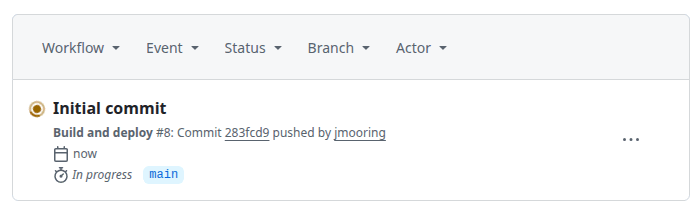
- From GitHub’s main menu, choose Actions. You will see something like this:
- Step 8
- When GitHub has finished building and deploying your site, the color of the status indicator will change to green.
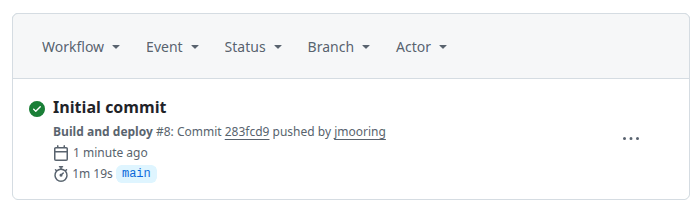
In the future, whenever you push a change from your local Git repository, GitHub will rebuild and deploy your site.
Related resources
For more information on hosting and managing your site with Firebase Hosting, consult the official documentation: